Key Takeaways
- Spam labels respond to how a number behaves on the network, so legitimate businesses can be tagged too.
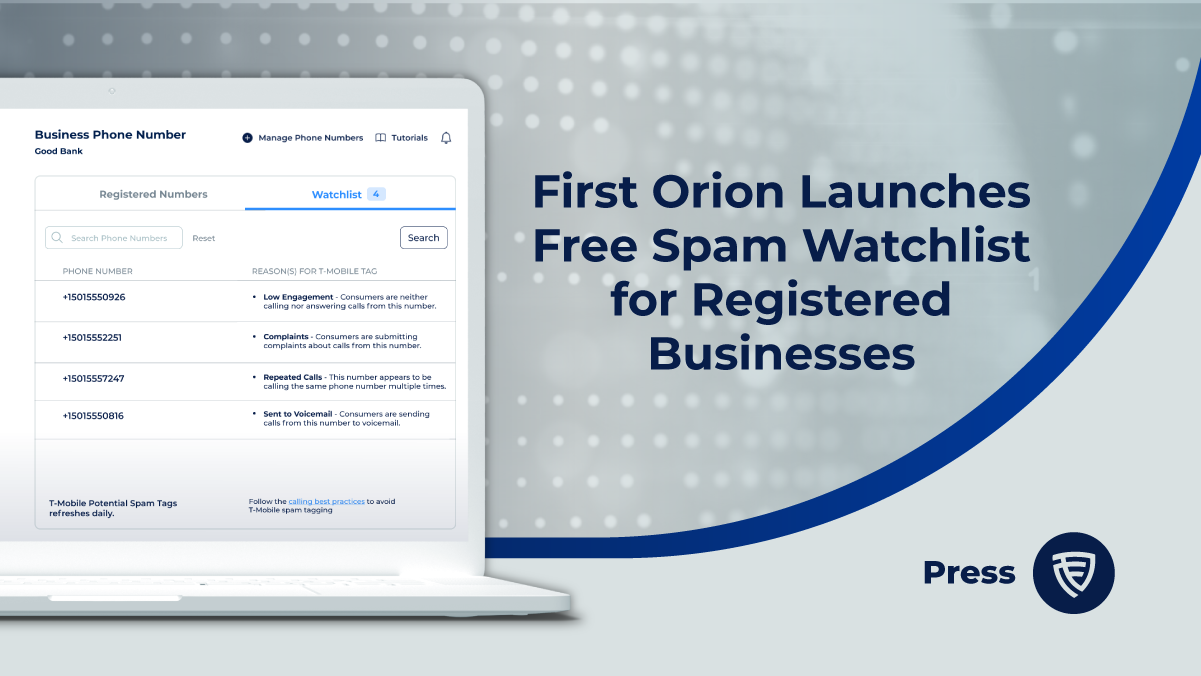
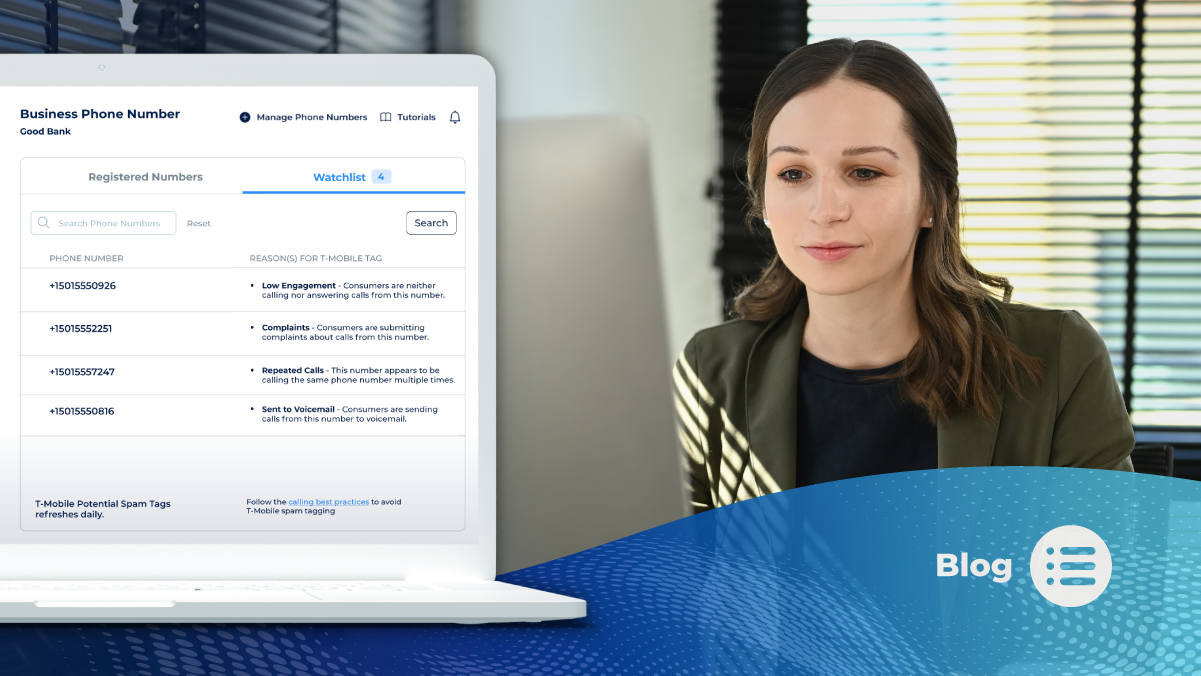
- Watchlist shows which of your registered numbers were tagged as Potential Spam on T-Mobile in the previous 24 hours, along with the observed calling behaviors that may have contributed.
- Business Number Registration is free and takes under five minutes to complete.
- Warming up new numbers, limiting daily volume per number, calling at appropriate times, and managing reattempts all reduce the signals that trigger flagging.
- Leaving a voicemail or a follow-up SMS gives recipients context, making them less likely to report your number.
Your team makes legitimate calls to customers, leads, and partners. Then answer rates drop, and someone notices your number showing up as “Potential Spam” on a recipient’s screen. The label is visible, but the reason behind it usually is not.
That gap is the problem. When businesses cannot see which calling behaviors contribute to a tag, they cannot adjust them. First Orion’s Watchlist addresses that gap by showing registered businesses their tag status and the behaviors associated with it, at no cost.
Why Do Legitimate Businesses Get Labeled as Spam?
Analytics engines evaluate calling patterns across the network. They look at how calls behave, such as volume, timing, and repetition, and they do not know whether a business has good intentions. A sales team working through a large list, a contact center dialing the same customers repeatedly, or a newly acquired number that jumps straight into heavy volume can all resemble nuisance calling.
Recipient reports add to the picture. If people see a number in their call history with no context and report it, that feedback can contribute to a label.
The result is mislabeling: a real business with a real purpose carrying a tag that suppresses answer rates and erodes trust.
What Is Watchlist in First Orion’s Business Number Registration?
Watchlist is a feature inside First Orion’s free Business Number Registration service. Registered businesses can log into the Customer Portal to see whether their phone numbers have been tagged as Potential Spam. They can also view the observed calling behaviors that may be perceived as nuisances by call recipients.
A few details define the scope:
- Network coverage: Watchlist shows numbers tagged on the T-Mobile network.
- Time window: It covers tags from the previous 24 hours.
- Behavior insights: It pairs spam-tag status with the behaviors observed on the network that are associated with spam labeling. First Orion serves as T-Mobile’s analytics engine.
- Cost: Registration and Watchlist access are free.
Watchlist indicates behaviors that may have contributed to a tag. It gives your team a starting point for adjusting practices, not a final verdict on cause.
How Do You Check Your Numbers in Watchlist?
- Register your business. Go to portal.firstorion.com and complete Business Number Registration. Most companies finish in under five minutes.
- Add your phone numbers. You can return to the Customer Portal at any time to add or manage numbers.
- Open Watchlist. Check whether any of your numbers were tagged as Potential Spam on T-Mobile in the previous 24 hours.
- Review the observed behaviors. Look at the calling patterns associated with each tagged number.
- Adjust your calling practices. Use what you find to change volume, timing, or reattempt habits.
What are Best Calling Practices to Avoid Tags?
1. Do not use one main calling telephone number for multiple uses.
Outbound numbers used for multiple purposes tend to get flagged by analytics engines and receive mixed feedback from consumers. For example, a telephone number used for marketing should not be used by other departments for other subjects. By segmenting the use of telephone numbers by purpose or by subject, enterprises can improve their numbers’ status as legitimate.
2. Avoid excessive calling to the same call recipient.
Review the number of times a particular user is called across all outbound calling campaigns from the same calling party in a short amount of time. Call recipients are generally tolerant of receiving two calls per day from the same calling party. However, when call frequency increases to three or more per day, user tolerance drops significantly, and recipients may begin to block numbers or report them, leading to potential mislabeling, including being tagged as spam or scam.
3. Ensure users expect a call.
Review the methods used to opt users into outbound calling campaigns to ensure they are clear. Ensure that users understand they should expect a call from the calling party and place the calls within 90 days of the user opting in to be contacted.
4. Respect users’ requests not to be contacted.
Comply with Do Not Call lists, other TCPA requirements, and user requests not to contact and provide a number/contact information that called parties can use to prosecute or report any alleged violations of law.
5. Provide a consistent, real, and user-dialable telephone number with every call you make.
Calls from a calling party number that is invalid or not assigned to the caller are more likely to be flagged, increasing the risk of mislabeling, including being tagged as spam or scam, and may potentially be blocked.
6. Provide a consistent Calling Name that matches context.
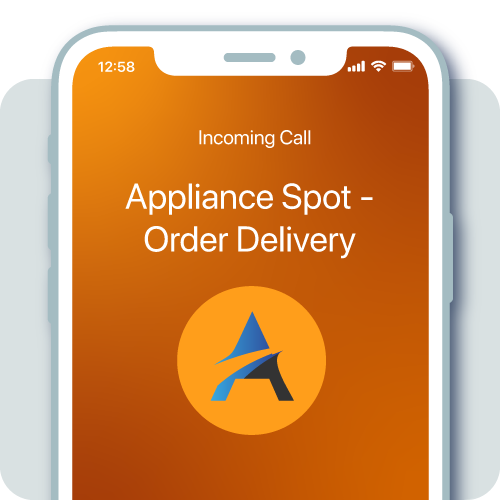
Displaying an accurate and consistent Caller Name gives customers more confidence knowing who is calling and helps them make the decision to answer the call.
7. Align context and content of calls for the duration of the number’s assignment.
Consistently using the same number for the same purpose results in a more accurate reputation. Keep your numbers to a single subject (department) use to avoid being tagged as a robocall.
8. Document normal calling patterns.
When launching a new call campaign, use a number that is compliant and known. This will aid analytics and service providers to designate the number as legitimate and not a number that’s being spoofed. Avoid unusual spikes in traffic volumes and follow and document expected and normative call pattern description.
9. Don’t use a pre-recorded message for lead prospecting calls.
Use a live person on the call. Calls that rely on pre-recorded messages for lead prospecting are generally not well received and are more likely to be reported, resulting in potential mislabeling, including being tagged as spam or scam.
10. Don’t call unassigned numbers frequently.
Know your customers and their current numbers. Frequent calls to unassigned numbers become a red flag and mirrors a technique that bad actors use by dialing random numbers looking for unsuspecting consumers.
Ready to see how your numbers appear? Register your business numbers for free and open Watchlist in the Customer Portal.