Key takeaways
- In 2025, Phishing scams spiked 229% around Black Friday, so customers hesitate to act on texts from senders they do not recognize.
- Mailchimp's 2025 data shows that SMS (Short Message Service) can outperform email for clicks and orders during peak shopping weekends, underscoring the value of messages customers trust.
- A verified sender name and logo, plus buttons and carousels, give RCS (Rich Communication Services) messages more to work with than a plain text and a link.
- Plan the full sequence, from list growth to cart reminders to order updates, and give each message a distinct purpose.
- Define the handoff to a person or phone call before volume rises, and set consent, frequency, and fallback rules now.
Your Black Friday message will land in an inbox crowded with offers, delivery alerts, and scams that imitate both. Bolster reported that phishing scams spiked by 229% around Black Friday 2025 and that phishing activity rose by 128% over the 2024 holiday period. Customers have noticed. They skip messages from senders they do not recognize, avoid tapping links, and leave carts sitting.
That hesitation matters because text performs well when customers engage. Mailchimp's 2025 report found that SMS averaged a 15.7% click rate per message delivered over Black Friday and Cyber Monday weekend, compared with 1.4% for email. At peak points in the season, SMS generated up to six times higher order rates than email and three times higher revenue per message.
Those figures describe SMS. They show what happens when customers trust a text enough to act on it. RCS gives businesses more to work with: a verified sender name and logo that customers can recognize, plus buttons, carousels, and quick replies that let them act inside the conversation.
This guide covers six tactics to set up before, during, and after the sale. Each one includes what to include and an example message.
1. Grow your opt-in list with an early access offer
Give shoppers a specific reason to subscribe, such as early access to the sale, a subscriber-only offer, or first access to limited inventory. Promote it where customers already interact with you: on your website, in your email, on your social posts, and on in-store signs with a QR code.
Record when and how each customer gave consent and confirm that your opt-in language covers the channels you plan to use.
Example early access message (rich card with one button):
Your early access is open. Shop our Black Friday sale before it opens to everyone. [Shop now]
2. Announce the sale, remind customers, and close with a real deadline
Give every message a different purpose. Resending the launch message adds noise.
- Launch: Lead with the offer, add one image, and include one button.
- Mid-sale reminder: Give customers a new reason to engage, such as a new offer, free shipping, or a popular product.
- Last chance: State the exact deadline and honor it. Repeated extensions of a final deadline reduce trust in future promotions.
Exclude customers who have already purchased or send them a different message.
Example launch message:
Black Friday deals are live. Save [X]% sitewide through [date]. [Shop now]
Example last-chance message:
The sale ends tonight at midnight. Save [X]% before it closes. [Shop now]
3. Segment your audience and personalize the offer
A mass message treats every subscriber the same. Use the data you already hold to send relevant offers. Common ways to segment include previous purchases, product interests, location, customer status, recent engagement, and loyalty tier.
A retailer could send a carousel of running shoes to customers who buy running gear and a carousel of camping equipment to customers who buy outdoor products. The more closely the offer matches the customer, the more reason that customer has to tap.
Example personalized message:
[First name], the styles you viewed are part of our sale. Save [X]% through [date]. [View styles]
4. Recover abandoned carts with a rich card
Cart recovery works best when the message returns customers to the items they already chose. A rich card can show the product image and name, include a button to open the cart, and provide a quick reply for common questions.
Build the flow in this order: the shopper abandons the cart, the system waits, checks whether the shopper completed the purchase, sends one reminder, and stops once the shopper buys. A reminder that arrives after checkout damages trust.
Example cart message:
Your [Product name] is still in your cart. Finish checking out before the sale ends. [Return to cart] [Ask a question]
5. Send order and shipping updates customers can use
Order status questions rise after Black Friday and continue through the holidays. Many reach your support team as calls or emails that a clear update could have prevented.
Send updates at the moments customers care about: order confirmation, shipment, out for delivery, delivered, and any delay. Include the order number, the expected delivery date, and a tracking button. Add quick replies such as Report a problem or Change delivery instructions, so customers reach the right workflow without searching for it.
Tell customers about delays early, with a new date and a way to ask questions. Keep promotions out of these messages, so transactional updates stay useful.
6. Plan the handoff to a person or a phone call
Automation can handle routine questions such as order status, return windows, and store hours. Some conversations need a person: a missing package, a billing dispute, or a frustrated customer.
Decide in advance when a conversation moves, and make the move simple:
- Define the triggers. Examples include a customer asking for an agent, repeating the same question, or describing a problem with an order.
- Offer a choice. Let the customer continue by message or request a call, now or at a selected time.
- Pass the context along. The agent should see the earlier conversation and the order details. If customers must explain the issue again, the handoff has failed.
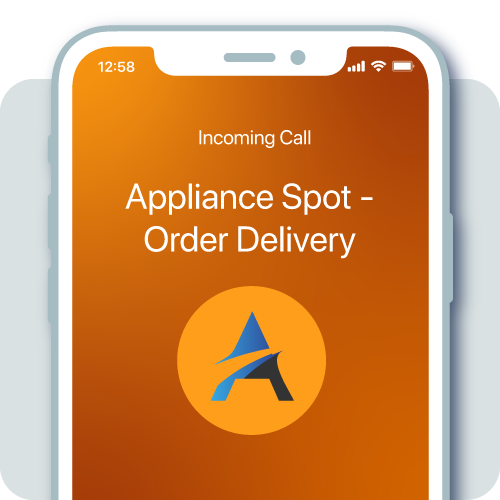
- Use a recognizable phone identity. When the call arrives with your business name displayed, the customer can recognize it as the one they requested.
- Plan for staffing. Holiday volume can exceed normal capacity, so confirm coverage hours and set honest expectations for response times.
How can you get started with ENRICH and INFORM before Black Friday?
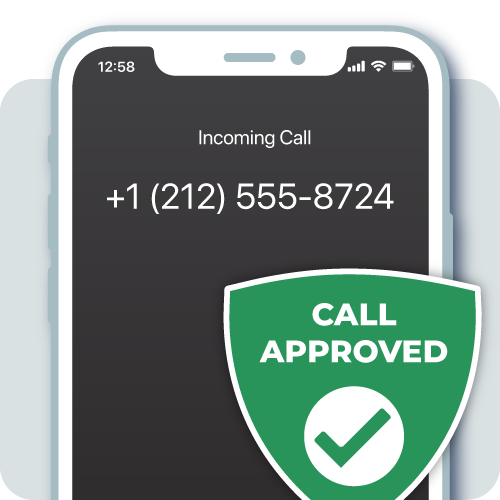
These tactics work best when customers recognize your business in every channel. ENRICH® Branded Messaging brings your verified business identity to RCS messages, so customers see who is contacting them before they read a word. INFORM® Branded Calling displays your business name on the phone screen, so the call that follows a messaging conversation looks like the one the customer requested.
Together, they help you run cart recovery, order updates, and handoffs with one consistent identity from the first message to the final call. Starting now leaves time for verification, setup, and testing.
Talk to First Orion about ENRICH and INFORM today
ENRICH Frequently Asked Questions
How is ENRICH different from traditional SMS or MMS?
While both RCS and SMS are delivered in the recipient's native messaging application, SMS is limited to 160 characters of text and relies on MMS capabilities to support pictures and videos. ENRICH delivers rich, interactive experiences typically reserved for third-party messaging applications and enables rich media content like high-resolution images, media attachments, and carousels.
Can I use ENRICH for two-way conversations with customers?
ENRICH provisions two-way conversational application-to-person (A2P) messaging through the RCS channel. This allows the business to send branded messages via First Orion's API and receive customer replies via First Orion's webhook.
What devices or carriers support RCS and ENRICH?
ENRICH is available on all Android and iOS devices (version 18.1 and above) across all major U.S. carriers.
What happens if a recipient's phone does not support RCS?
RCS platforms can automatically fall back to SMS when the recipient's device lacks RCS support. This ensures your message reaches the customer regardless of device capabilities. First Orion handles this fallback routing automatically through the ENRICH platform.
Related resources
Understanding RCS Messaging for Customer Engagement
RCS Vs. Push Notifications: How to Choose the Right Channel for Critical Alerts